Mapchick Apps- Your own favorites page! We’ve made it easy for you to remember all the places you hear about online or places you’ve always loved to your own Favorites page on the Mapchick app. Save your Favorites in the assigned categories. Restaurants, Hotel, Service and medical so you can easily find them when you are on the island.
To save a Favorite, go to the business you’d like to save and tap the star in the righthand corner. When it is saved it will be a sold blue color.
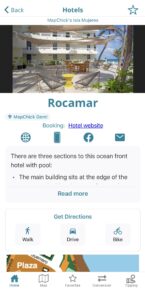
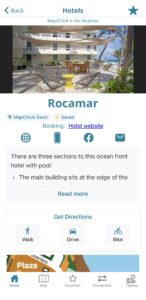
You can find all of your saved Favorites, tap the star at the bottom of your screen and the favorites you have saved will show. On the map you can tap My Favorites Filter and only your favorites will show.
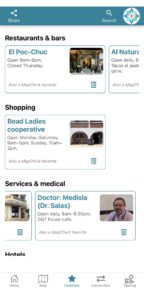
Locate your own favorites on the custom map by tapping “My Favorites” filter
Start saving your own Favorites and planning your perfect Isla Mujeres vacation today!
Download Mapchick’s Isla Mujeres on the App Store or Google Play